

7.0 Process simulation software
Model the plant. Test the decision.
Design, rate, troubleshoot and optimize process facilities in one engineering environment. ProMax combines rigorous thermodynamics, equipment models and current operating data without separating the flowsheet from the work.
- Microsoft VisioFlowsheet environment
- Microsoft ExcelReporting and calculations
- Plant systemsPI, OPC-HDA and ODBC
- 01
Build
Draw the process and define the engineering basis.
- 02
Rate
Check equipment against the conditions in the model.
- 03
Connect
Bring current operating data into the same environment.
- 04
Optimize
Test constraints and compare practical operating points.
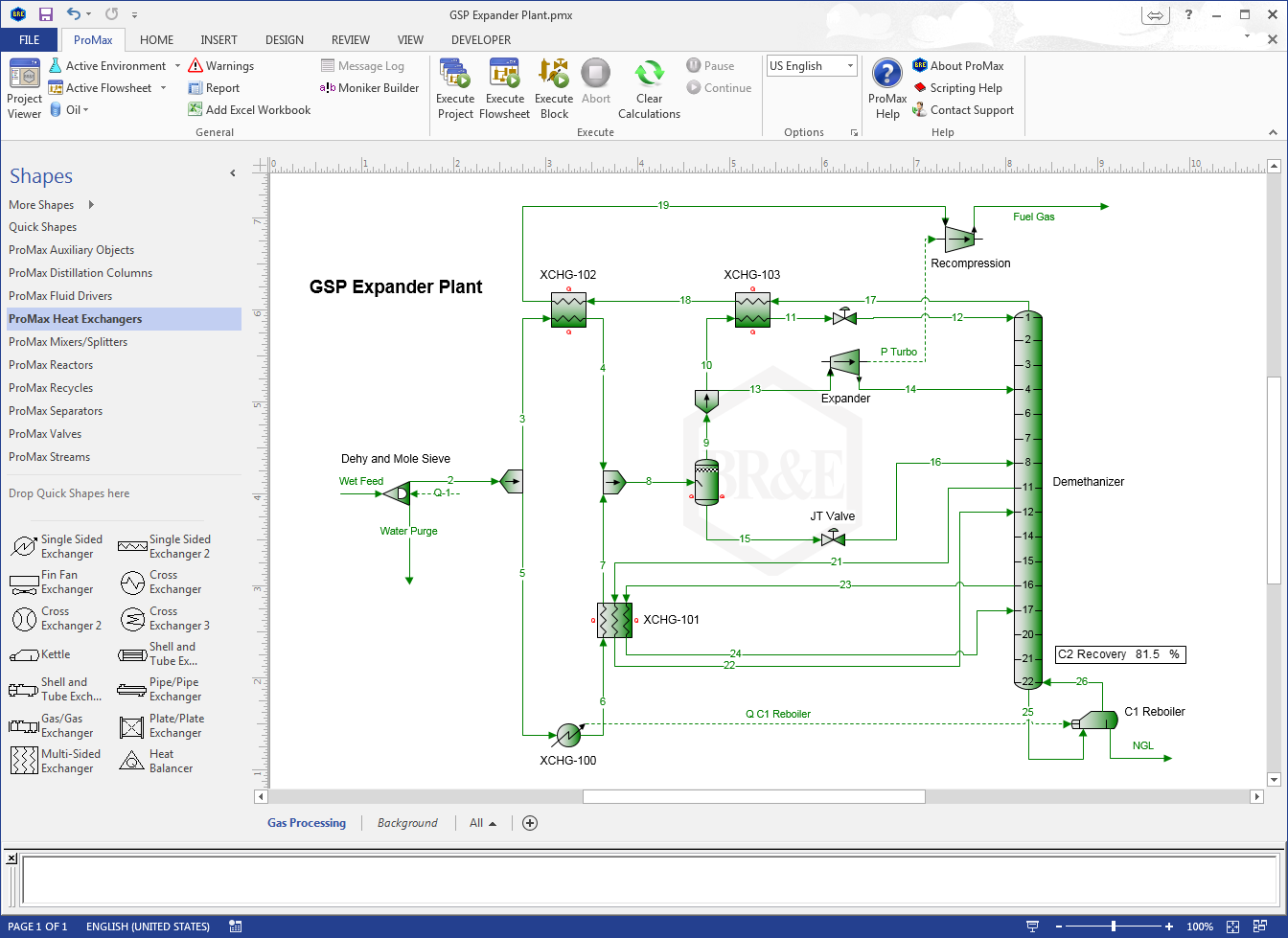
Process modeling
Build the process where engineers already work.
Draw the flowsheet in Microsoft Visio, specify streams and equipment, and move directly from the process basis to calculated performance. Excel integration supports reporting, data exchange and custom engineering calculations.
- Material and energy balances
- Thermodynamic and electrolyte methods
- Equipment sizing and rating
- Cross-flowsheet calculations
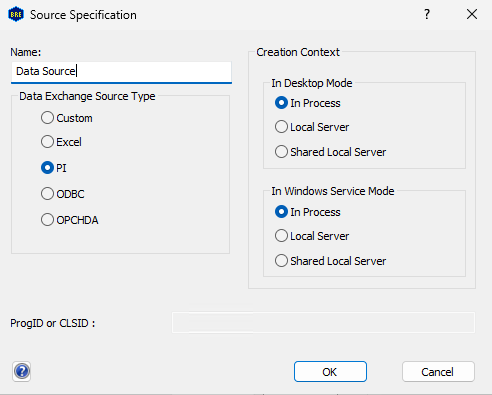
Automated Data Exchange
Keep the model aligned with current operating data.
ProMax 7.0 can import plant data, execute the model and return calculated results to the systems your team already uses. Compare the model with measured conditions, investigate discrepancies and preserve the run for review.
- PI
- OPC-HDA
- ODBC
- Excel
- Custom sources
ProMax 7.0
New and enhanced tools for decisions engineers already make.
ProMax 7.0 adds focused modeling, analysis and equipment tools. Optimization improvements include held values, clearer constraint descriptions and easier organization of variables and constraints.
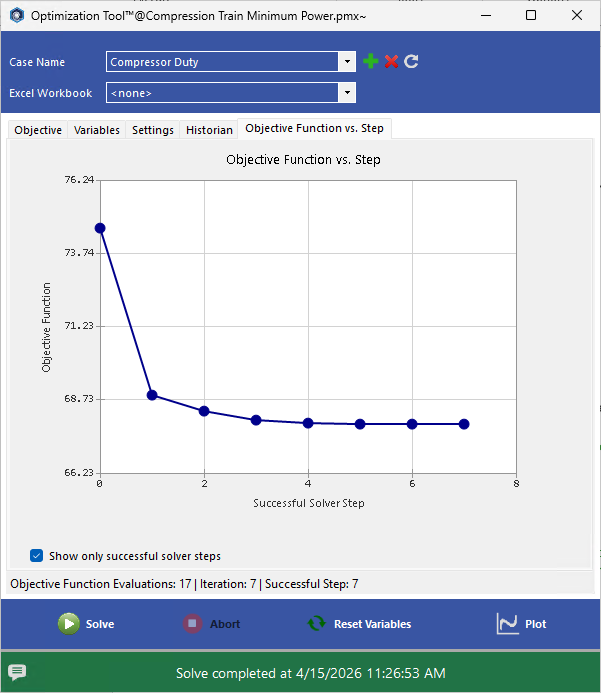
Find a practical operating point.
Define objectives and constraints with model properties, Excel cells or mathematical expressions, then adjust multiple variables together.
Optimization ToolFollow the pressure through a depressurization case.
Model vessel or pipeline depressurization for relief sizing, fire cases and maintenance deinventorying.
Relief systems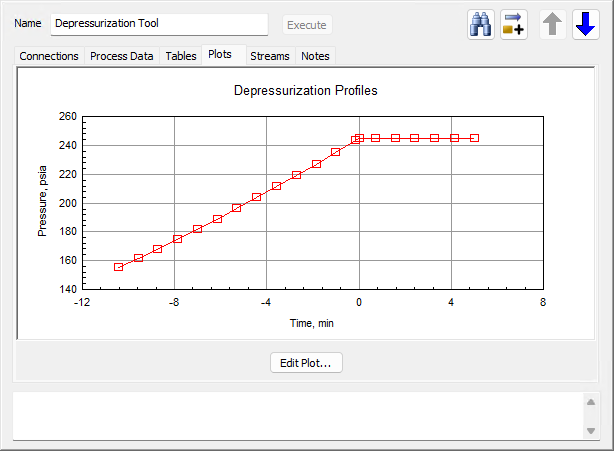
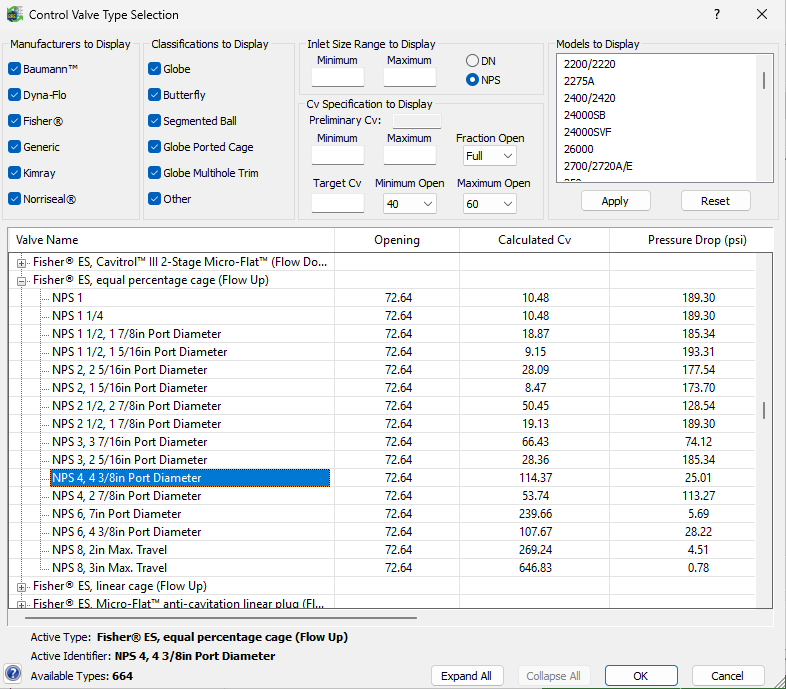
Compare valve options against the model.
Narrow control valve types and sizes using calculated flow, opening and pressure drop requirements.
Control valvesRelease index
More in ProMax 7.0
- 01Automated Data Exchange
Parallel import and export, automated execution and configurable run storage.
- 02Depressurization Block
Model vessel and pipeline depressurization for relief and deinventorying cases.
- 03Pipeline Network Solver
Set system goals and solve dependent pipeline specifications together.
- 04Separator Rating
Rate an existing vessel or size a new separator from the process model.
- 05Control Valve Selector
Compare valve options against calculated flow and pressure requirements.
- 06Optimization Tool improvements
Hold values, document constraints and organize variables more efficiently.
Applications
One environment across the process industries.
Use methods and equipment models suited to each application while keeping a consistent engineering workflow.
- 01UpstreamProduction facilities, gathering, compression, flare and vent
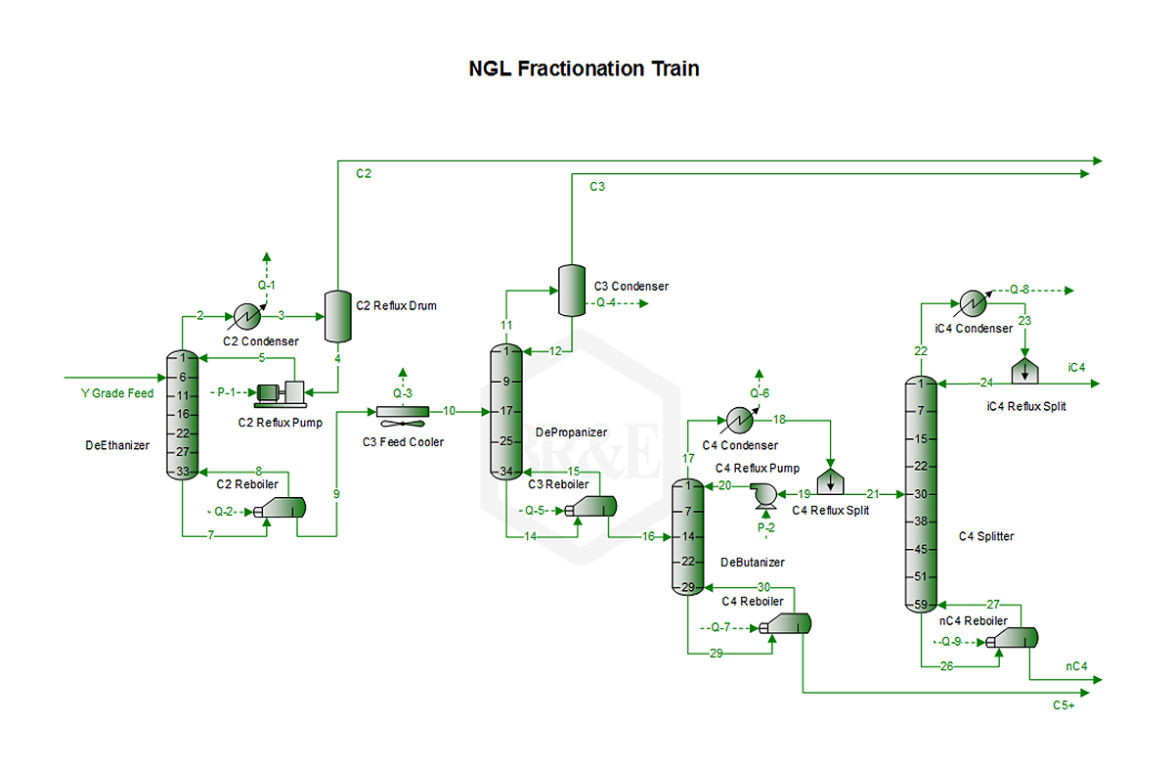
- 02MidstreamNGL recovery, cryogenic processing and pipeline networks
- 03RefiningCrude units, hydroprocessing and sulfur recovery
- 04TreatingAmine sweetening, glycol dehydration and sour water
- 05Air Emissions & ComplianceTanks, vents, permit inventories and event calculations
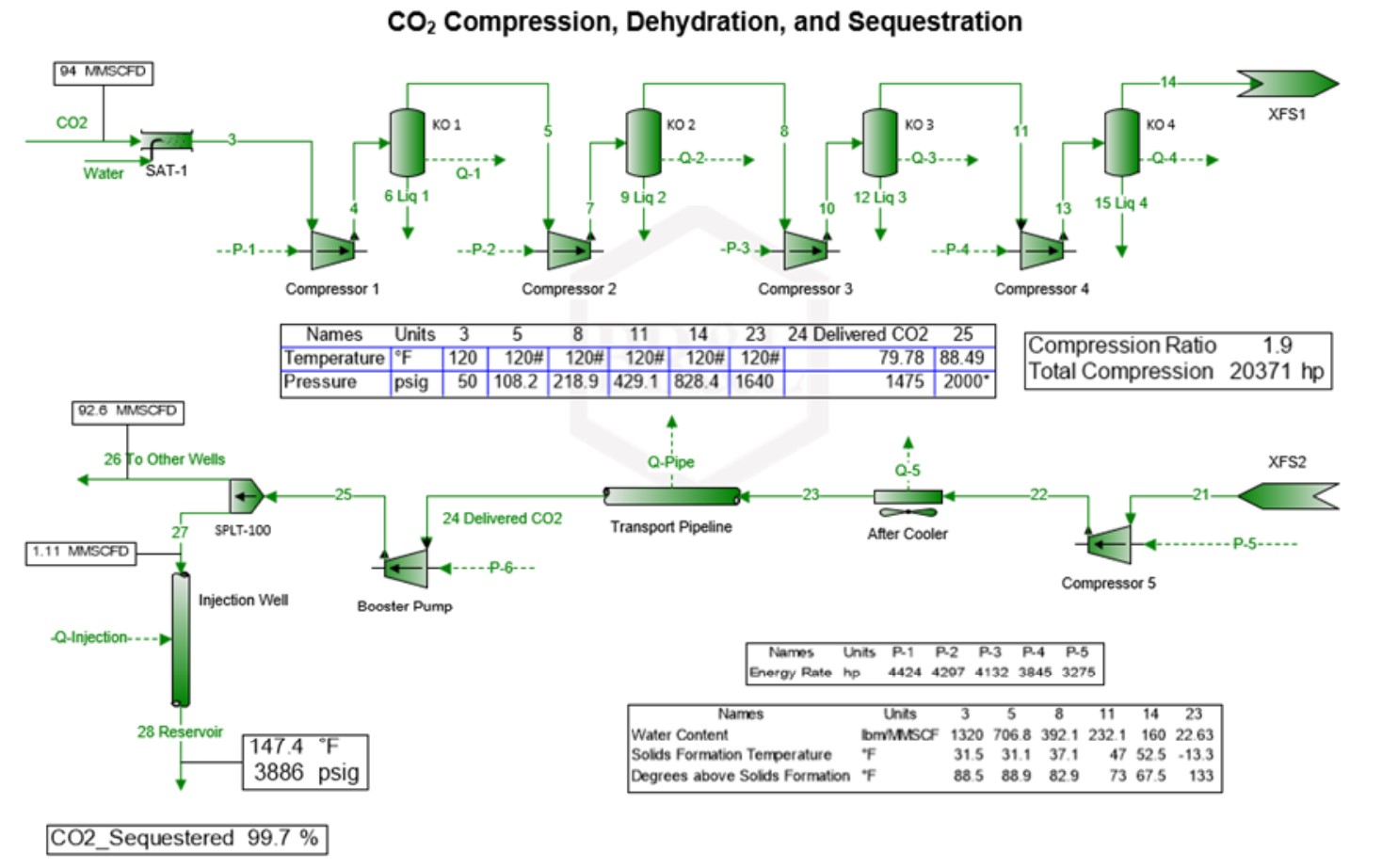
- 06Sustainable EnergyCarbon capture, renewable natural gas, hydrogen and ammonia
Engineer to engineer
Evaluate ProMax against the process problem you need to solve.
A BR&E process engineer can help determine whether the models, methods and workflow fit your work.